
The Mini Segway Hoverboard? It’s here: introducing the Segway miniPRO
Segway is a well-known brand of personal transportation devices. Recently, Segway, feeling like they were missing out on the hoverboard phenomenon (as well as feeling ripped off by the popular hoverboard company, Swagway), decided to acquire Ninebot in order to create a “Segway hoverboard”.
Ninebot is a Beijing-based company that has been making a pretty popular brand of electric unicycle, the Ninebot ONE, which stood out because of its sleek Apple-esque design.
After quite a bit of testing, Ninebot created the miniPRO, a hoverboard-like device that is essentially a Mini Segway Board. It uses high quality components and promises to be the best hoverboard out there.

Mini Segway Hoverboard Tech Specs
Dimensions: 20 x 21.4 x 10.3 inches
Weight: 28 pounds
Max Speed: 10mph
Max Weight Capacity: 220lbs
Range: 14mi
Bluetooth for Remote Control / Firmware updates
Why choose the Segway miniPRO over a regular hoverboard?
In short, this mini Segway board is a more mature product. Which is both a good and a bad thing.
Let’s start with the good:
The Wheels
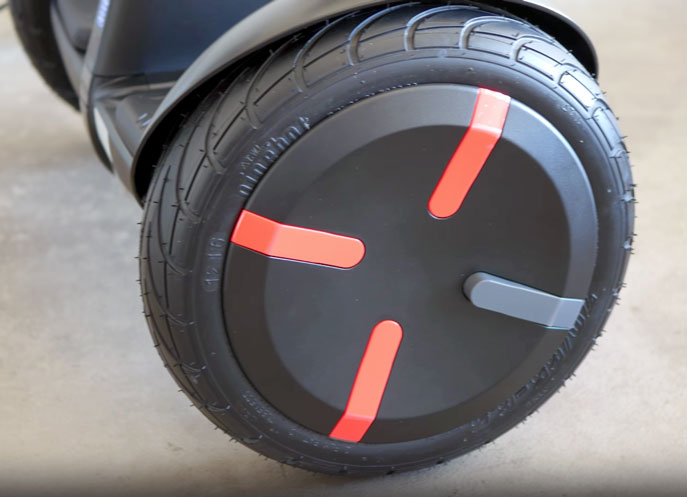
The mini Segway hoverboard features 10.5″ inflatable tires. This means that the wheels on the miniPRO are larger than the wheels of every other hoverboard out there, including the 10″ wheels of the SKQUE.
This means that the ride is buttery smooth, even on uneven terrain.
What Pressure Should I Inflate the Tires on the Segway MiniPro?
The ideal pressure to inflate the MiniPro’s tires to is 45 PSI. A hand pump works well for this.
The air valves for inflation are located on the inside of the tires (towards the body basically).
The Knee Support
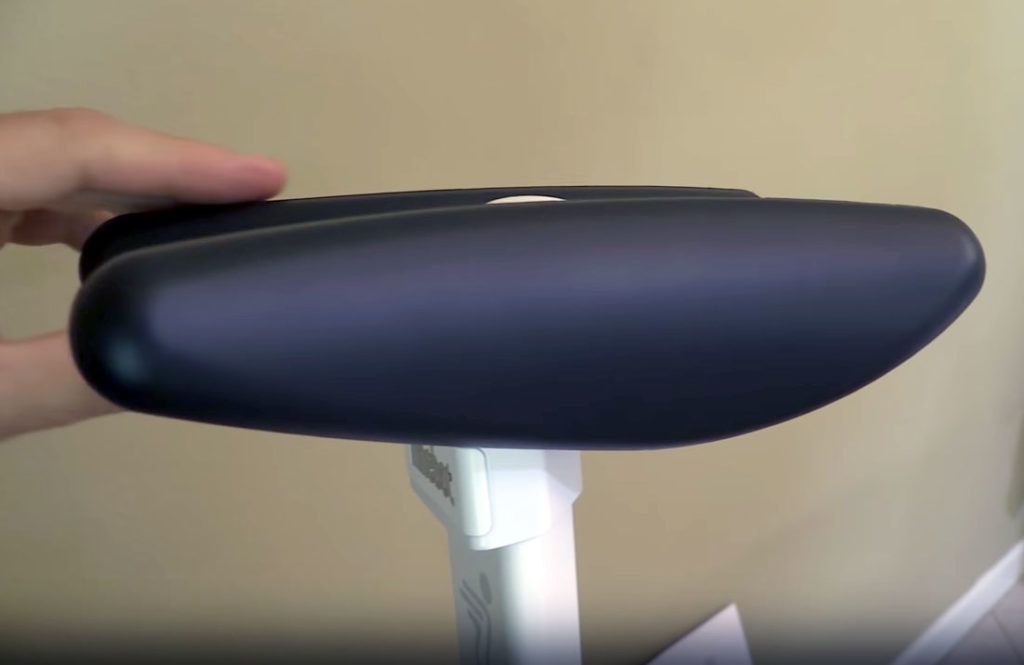
The miniPRO introduced the concept of a “knee support” so that you can steer the hoverboard with more precision (and possibly to aid you in learning how to ride it). The support is height-adjustable and, while it used to be a good idea, it’s now almost a hinderance. More on that later.
The Bluetooth
The miniPRO is the most sophisticated hoverboard we’ve tested, with its ability to connect to your smartphone via bluetooth. Unfortunately there are no bluetooth speakers on the mini Segway.
The Bluetooth, instead, allows you to do three things:
Change the colors of the lights on your board to whatever color you want, which is pretty nifty, if not a little gimmicky.
Update your firmware. Pretty straightforward.
Lock/unlock your hoverboard. Which is pretty neat as this also features an alarm (i.e. if your hoverboard is moved, you will get notified on your phone. Useful if you have younger siblings I’d imagine).
And lastly, the best feature, which is to remote control your mini Segway (yes, while you’re NOT riding it).
The Remote Control
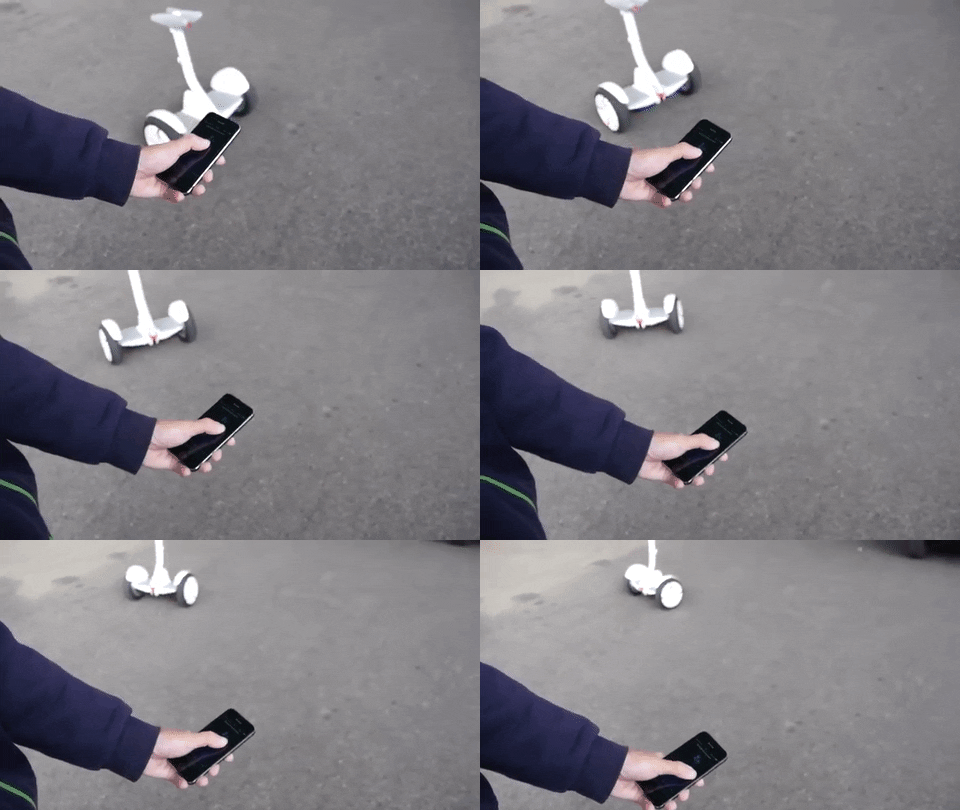
The remote control function is a lot of fun, but after a little while, it seems pretty pointless. The control is obviously not as responsive as, say, an RC car, and we really couldn’t find much use in moving the hoverboard without riding it.
Safety
The Segway miniPRO is UL2272 certified, and so it is certified to be completely safe.
Design
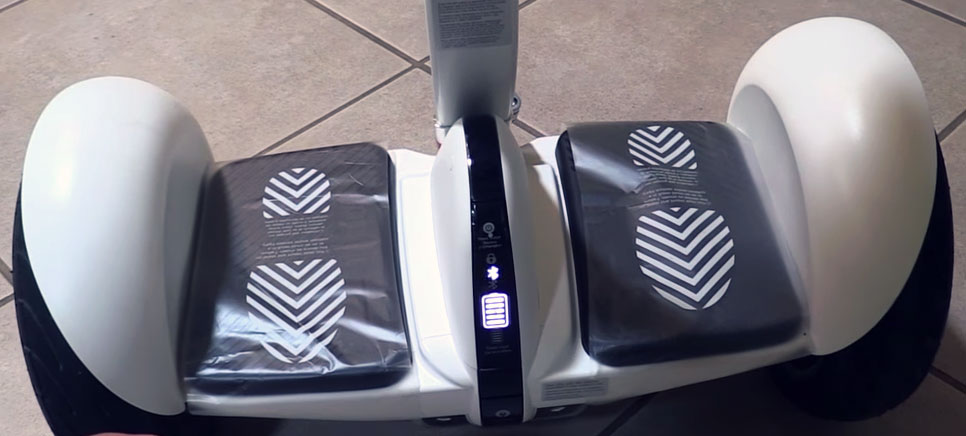
Like we said before, Ninebot has always stood out for the clean design of their products, and the miniPRO is no exception. The mini Segway board keeps it classy: it only comes in black or white (you can choose whatever color you want for the LED lights). The front features a display that shows you whether the board is locked or not, the status of your Bluetooth connection and the battery level. If you ask us, it’s definitely the best looking hoverboard ever made, despite the awkward-looking knee support.
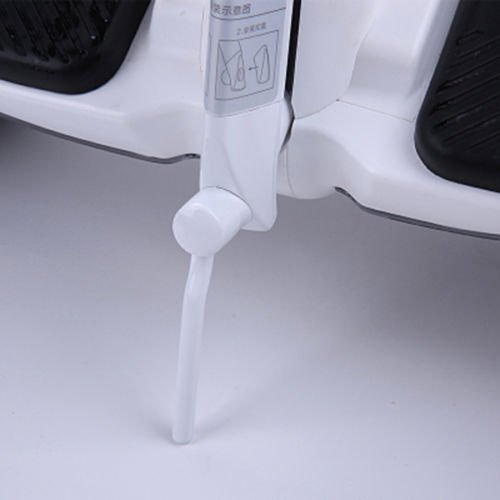
Essential accessory: the miniPRO kickstand
One thing that we noticed while testing the miniPRO, is that if you wanna turn it off to save battery, you can’t keep it upright, as the gyroscopes will turn off. We really wish that the miniPRO came with a kickstand, considering the hefty price tag. Unfortunately, it doesn’t. That’s why we absolutely recommend getting a third party miniPRO kickstand like this one. It’s a small extra expense, but you will use this all the time, and it will improve your board’s battery life dramatically if you use the mini Segway to commute or actually go places.
Can you take the miniPRO on an airplane?
Unfortunately no: most airlines have explicit policies against bringing hoverboards on board. Even UL2272 certified hoverboards like the miniPRO are probably going to get stopped.
And the miniPRO wouldn’t be allowed anyway because of the size of its battery pack: on most airlines, the limit for Li-Ion batteries on a plane is 100Wh (160Wh if you get a special permission in advance).
The maximum amount you can carry with you is two battery packs of above capacities.
So is it better than a regular hoverboard?

We would prefer an actual hoverboard like the Swagtron T1 for a number of reasons:
Starting from the more personal preferences, we think that the segway hoverboard looks a little awkward when compared to other hoverboards.
We already called the knee support a hinderance: it looks a little weird, and is pretty useless if not downright annoying. When going fast, the board is kinda tilted backwards as you tilt forwards, making the knee support extend behind your legs.
And about speed, unfortunately Segway, with the latest firmware update, have limited the miniPRO‘s top speed to 10mph. Which, for a hoverboard with such huge wheels is actually pretty reductive.
Also, if you lean forward more to try to go faster and you hit the 10mph limit, the board “brakes” immediately, jolting you and possibly making you fall. It’s like the board is constantly fighting you if you try to go fast.
We’re guessing that this is due to Segway not wanting to get sued, but this has seriously hampered the riding quality of this hoverboard. Don’t get us wrong, we still like it, but riding it is a struggle between the alluring ride-quality that pushes you to go faster and the speed limiter trying to stop you.
All in all, if you want a hoverboard that feels very polished, is super-safe, and has a reputable company behind, you could do a lot worse than getting a Segway miniPRO. If you want to spend a little less and have a more “freeform” hoverboard experience, we definitely would recommend the Swagtron T1 instead.
Leave a Reply